Get in. See your money.
Rose Capital Group's investor portal: what you hold, what you've received and what's due, on any device, in Hebrew or English.
Sign in to the portal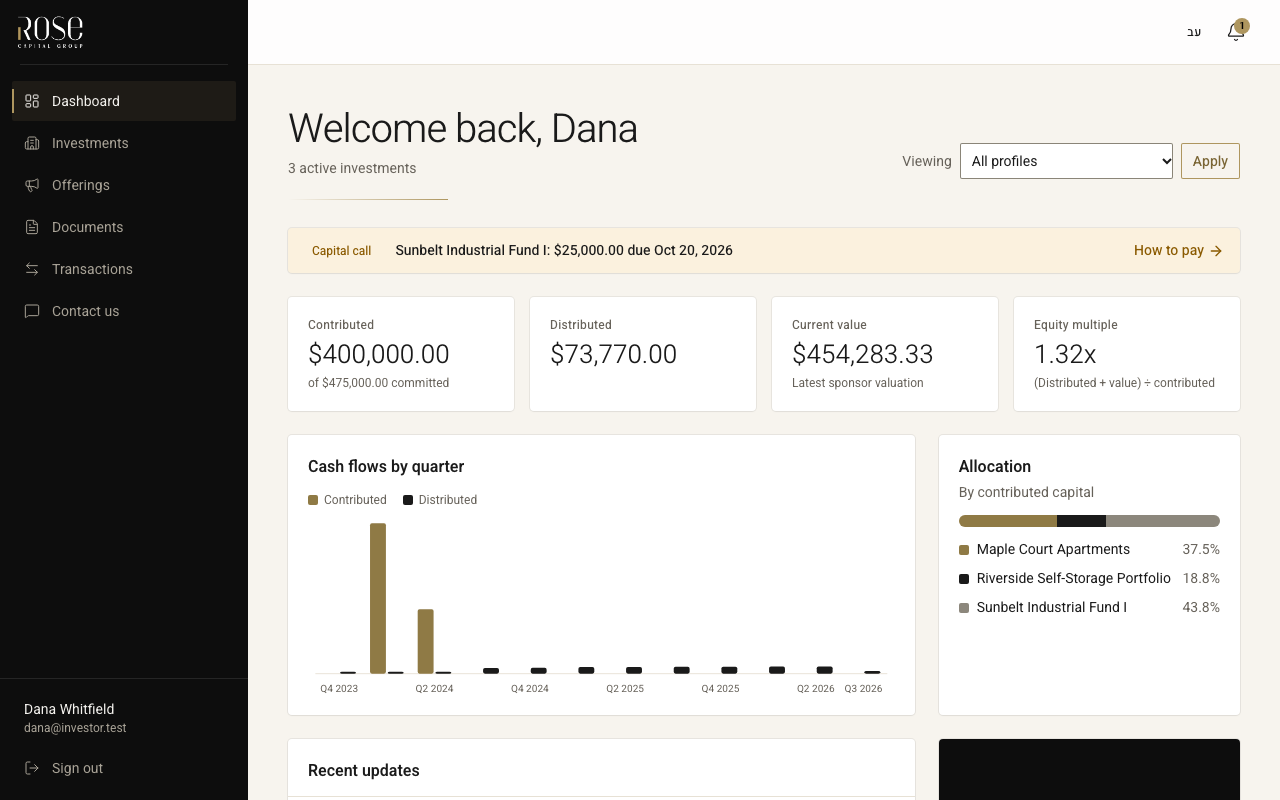
Investor portals shouldn't be hard to get into
Many investors know the feeling: an app that won't sign you in, a link that drops you on a home page, a K-1 buried in a long list. We built our portal around one idea: you should get in on the first try and find what you came for.
How it works
You get an invitation
An email from us with a personal link. Choose a password and add a second step with an authenticator app.
You see everything you hold
Each investment with its value, what you put in and what you've received, plus every update and document.
We keep you posted
Distributions, capital calls, K-1s and updates arrive by email and wait for you in the portal.
What you get
Back where you meant to go
Open a capital call or a document from an email, sign in, and you land on it, not on a home page.
On your phone like an app
Add the portal to your home screen. No app store, nothing to update or reinstall.
Reminders before a payment is due
A week before, the day before, and if a capital call is late, by email, so nothing slips.
Every document, easy to find
K-1s, notices and reports by deal, type, year and entity, with a download button that works.
Hebrew and English
The whole portal, the emails and the PDFs, in either language. Switch at any time.
Your data, guarded
Two-step sign-in, every document encrypted twice, stored in the US, and visible only to you.
Questions
Is it free?
Yes. The portal is part of investing with us; there is nothing to pay.
Who can see my investments?
Only you, and anyone you ask us to add (a spouse, an accountant), with read-only or full access. Other investors never see your data.
Where is my data stored?
In the United States, encrypted by the portal and again by the storage provider. Details in the privacy policy.
I lost my phone or my authenticator app.
Contact us. After we confirm it's you, we reset the second step and you set it up again.
How do I put it on my phone?
On iPhone: open the portal in Safari, tap Share, then Add to Home Screen. On Android: open it in Chrome, tap ⋮, then Install app.
I forgot my password.
On the sign-in page choose “Forgot your password?”. We email you a code; your second step stays as it is.
Already invited?
Sign in with the email we wrote to.
Sign inQuestions? Write to us: admin@the-rosegroup.com